
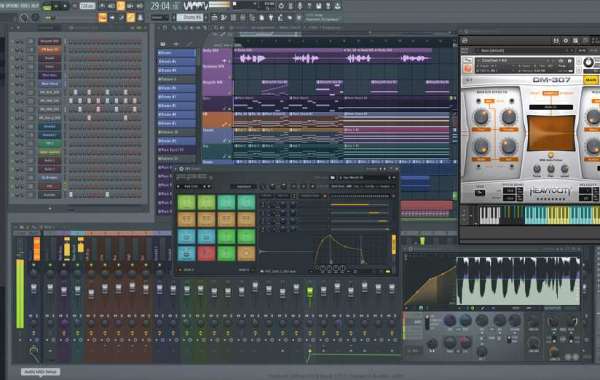
With the increasing popularity of mobile music-making apps, FL Studio Mobile stands out as one of the most promising offerings in the market. Though the desktop version of FL Studio has a significant following, how does the mobile version hold up? Is it a worthy alternative to desktop DAWs, and is it worth your time? This blog post aims to provide an in-depth look at FL Studio Mobile and evaluate its efficiency, versatility, and overall value.
Interface and Features
FL Studio Mobile boasts of an intuitive interface and offers an array of features to create music easily on your mobile device. At first glance, the interface appears clean, yet the small icons can be challenging to navigate, particularly for users with larger fingers. Nonetheless, the app offers all the essential features for music creation, including a multi-track sequencer, mixer, piano roll editor, and access to a library of royalty-free samples and instruments.
Connectivity
One of the best features of the FL Studio Mobile app is its connectivity. The app can sync with the desktop version of FL Studio, allowing you to start projects on your mobile device and continue working on your PC or Mac. The seamless integration offers an excellent advantage for musicians on-the-go.
Sound Quality
When using a mobile app for music production, it is vital to consider the quality of sound output. Based on our evaluation, FL Studio Mobile produces excellent sound quality, with no noticeable loss in the transition from mobile to desktop. The app is compatible with high-quality sample rates, providing flexibility while making music, and the effects process smoothly without any latency.
Limitations
Though FL Studio Mobile offers several features for music creation, it is still limited compared to desktop DAWs. Since the app is designed for mobile devices, some features included in the desktop version of the DAW are absent. For instance, you cannot use third-party plugins or customize samples on the mobile version. Additionally, the small screen size of mobile devices can be cumbersome when trying to adjust parameters accurately.
Is it Worth Your Time?
If you are looking for a mobile solution to create music on-the-go, FL Studio Mobile is worth giving a shot. It offers substantial connectivity, a vast library of samples, an intuitive interface, and a comfortable migration from mobile to desktop. With all these features, though FL Studio Mobile is limited, it is still an excellent music creation tool to have on your mobile device. You can download FL Studio Mobile for free at https://techtodown.com/fl-studio-mobile/
In conclusion, FL Studio Mobile offers a convenient music-making solution for anyone on-the-go. While it is not a complete replacement for desktop DAWs, it has proven to be a top contender among mobile music production apps. With its intuitive interface, vast library of samples, and convenient connectivity with the desktop version, it is undoubtedly worth your time. We hope that this in-depth look has helped you evaluate whether FL Studio Mobile is the right app for you and your music creation needs.