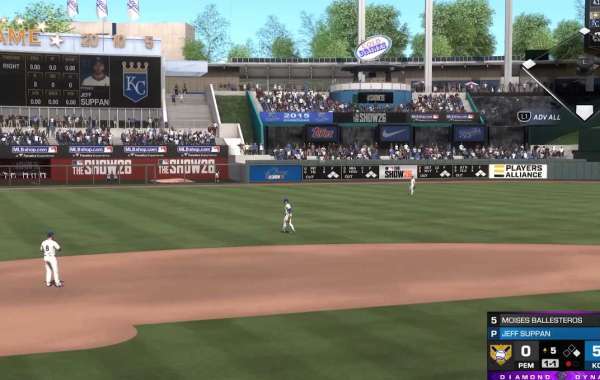
Playing MLB The Show 26 in Co-op mode is a lot of fun, but it can get tricky if your teammates aren’t synced or your settings aren’t dialed in. From rotation systems to connectivity quirks, here’s a guide for keeping your games smooth and competitive.
1. Optimize Your Gameplay Settings
The 2026 version of MLB The Show gives you more control over who does what in Co-op. Understanding these tweaks can prevent confusion mid-game.
Rotation System:
The new rotation menu lets you switch roles by inning, out, home run, or a set number of batter appearances. For longer defensive halves, switching by out or home run keeps both players active instead of one sitting idle for multiple innings.
Catching Mechanics:
Now the player controlling the infield also controls the catcher. This is different from older versions where the pitcher held that role. Make sure you’re clear who’s handling the catch to avoid dropped signals or bad pitch framing.
Hitting Strategy:
Zone Hitting remains king for controlling your Plate Coverage Indicator (PCI). In Co-op, you can simplify things by sticking to one quadrant of the strike zone. This reduces mistakes when facing a human pitcher who might mix up speeds and locations.
2. Manage Your Squad Perks
Captain Boosts:
These now affect the entire Co-op squad. Make sure your captain has active boosts applied, especially if your squad follows a theme, like all-team or position-specific builds. It’s a small bonus that can swing tight games.
Parallel XP (PXP):
In MLB 26, your Parallel levels and mods come from the player who brings the card, not just the captain. This means stacking high-tier cards can really improve your team’s overall performance.
Bullpen Depth:
In 3v3 matches, you can now select two bullpen pitchers. More depth means more strategic pitching changes, letting you match up against hot batters or preserve your starters.
3. Connectivity Stability Tips
Even with patched updates, servers can be unpredictable. Here’s how to stay ahead:
Avoid the Pause Freeze:
Pausing mid-pitch is risky. If one player pauses while the other is in a pitching motion, it can freeze the game completely. Only pause between batters or innings.
Check Server Maintenance:
Official maintenance usually happens around 4:00 AM PT / 7:00 AM ET. Playing during these hours increases the chance of disconnections or lag spikes.
Cross-Play Invitations:
If your friends are on different consoles, invitations show up in the in-game Game Challenges menu under your Universal Profile—not your console’s normal notification panel. Keep that in mind to avoid missing invites.
4. Smooth Role Management
Here’s a quick cheat sheet for rotation settings depending on your Co-op mode:
| Mode | Pitching Rotation | Batting Rotation | Pro Tips |
|---|---|---|---|
| 2v2 | Every other batter or full inning | Every other batter | Use Simulation difficulty for realism |
| 3v3 | Full inning or “Per Home Run” | Every out or every appearance | Activate Parallel Mods for H/9 boosts |
Setting these rotations properly ensures that everyone is engaged, stats track correctly, and you avoid messy misplays at key moments.
- Stick to one quadrant of the PCI in tight games to reduce errors.
- Coordinate bullpen usage with your teammate before starting the game.
- Keep an eye on your connection and avoid high-risk pause moments.
Following these simple best practices will make your MLB The Show 26 Co-op sessions much smoother and more enjoyable, letting you focus on hitting dingers and shutting down lineups instead of troubleshooting glitches mid-game.