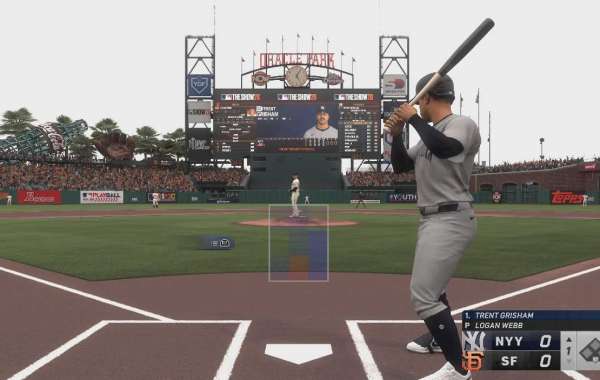
MLB The Show 26 does not have a dedicated Online Franchise mode. That means you can’t manage a single franchise with friends across the internet in a traditional multi-season setup. The Franchise Mode is still offline and focused on solo management as the General Manager.
But don’t worry—you can still get a similar experience online with some workarounds. Here’s how.
Option 1: Custom Leagues Mode
Custom Leagues is the closest thing to online franchise play.
- Open the Main Menu and go to Game Modes.
- Choose Custom Leagues.
- Create a League if you want to be the commissioner, or Join a League to enter an existing one.
- Set your rules: difficulty, crossplay on/off, player pool restrictions, etc.
- Manage rosters using Live MLB Rosters or a custom draft.
- Invite friends from your in-game friends list to fill out remaining teams.
This lets you run a structured online league with friends, though it lacks multi-season automation like offline Franchise Mode.
Option 2: Online Exhibition Workaround
If you want a franchise-style season with friends online, you can manually track it.
- Set up an external tracker: Use a spreadsheet, Discord server, or third-party site to log standings, schedules, and trades.
- Play offline Franchise saves individually: Each player runs their own offline franchise.
- Play head-to-head matchups:
- Exit the offline franchise menu.
- Invite your opponent via the friends list.
- Select Exhibition and match stadium, difficulty, and game length to your custom rules.
- Log the results in your external tracker to update the league standings.
This is more hands-on but lets you simulate a full season with friends.
Option 3: Diamond Dynasty Online Play
If your goal is taking a team online, Diamond Dynasty is the main hub.
- Build your team: Complete starter missions, WBC events, and Showdowns to collect Diamond-tier cards.
- Play Ranked Seasons: Compete in the standard online queue with your custom squad.
- Form a Co-Op squad: Team up with friends in 2v2 or 3v3 ranked matches.
Diamond Dynasty doesn’t replicate franchise rules fully but is perfect for online team competition and milestone progression.
While MLB The Show 26 lacks a true online franchise, using Custom Leagues, manual tracking with Exhibition games, or Diamond Dynasty Co-Op gives you plenty of ways to play with friends online. Pick the method that fits your style—structured leagues, casual seasonal sims, or competitive co-op.